CanopyCode™ · AutoCAD & Civil 3D 2021-2026 · Available now
What if most of your tree protection plan drew itself? With CanopyCode, it does.
Start with a simple arborist's CSV. A few clicks later, CanopyCode has placed the trees, drawn the CRZ and SRP zones, run the impact analysis, and built the tables, legends, and labels: an almost-complete plan, in minutes. It handles the repetitive work; you keep the professional judgment.
Send your tree list and site plan; we run the impact analysis free. Or see it live in a demo.
See it run
611 trees, start to finish, in 45 seconds
No edits, no speed-ups. This is one drawing processed end to end: trunk symbols, CRZ and SRP, impact analysis, labels, and the table, all generated.
What's it worth?
See the time and money CanopyCode gives back
Move the sliders to match your work. The estimate updates live. Open advanced details to fine-tune the assumptions behind the math.
A typical 250-tree project run 12 times a year recovers about three weeks of drafting.
Adjust to match your current by-hand process.
Each LOD change reworks about 25% of trees, each at half the time per tree.
Estimates from your inputs. Actual savings vary by workflow.
The output
A finished tree-protection plan
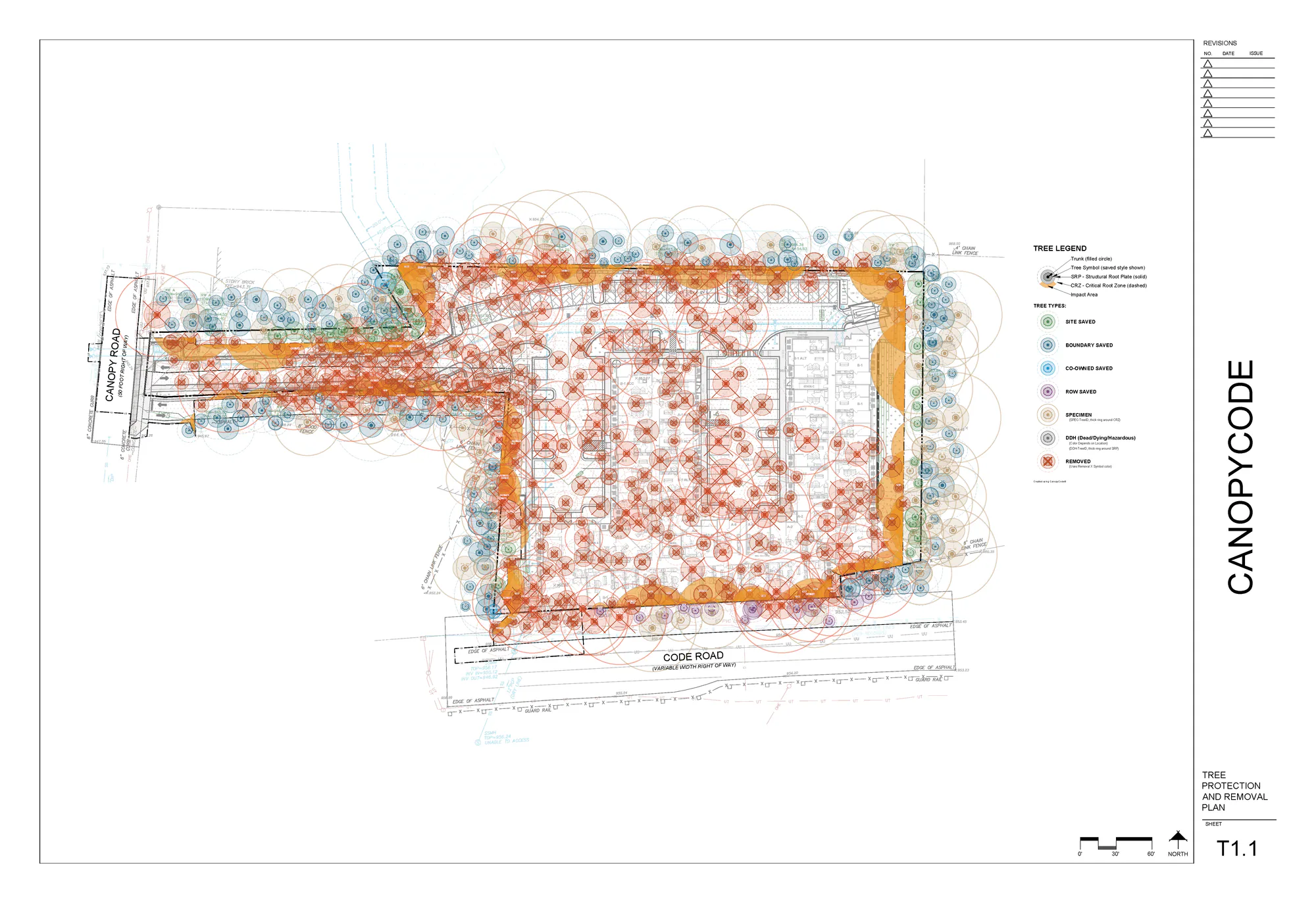
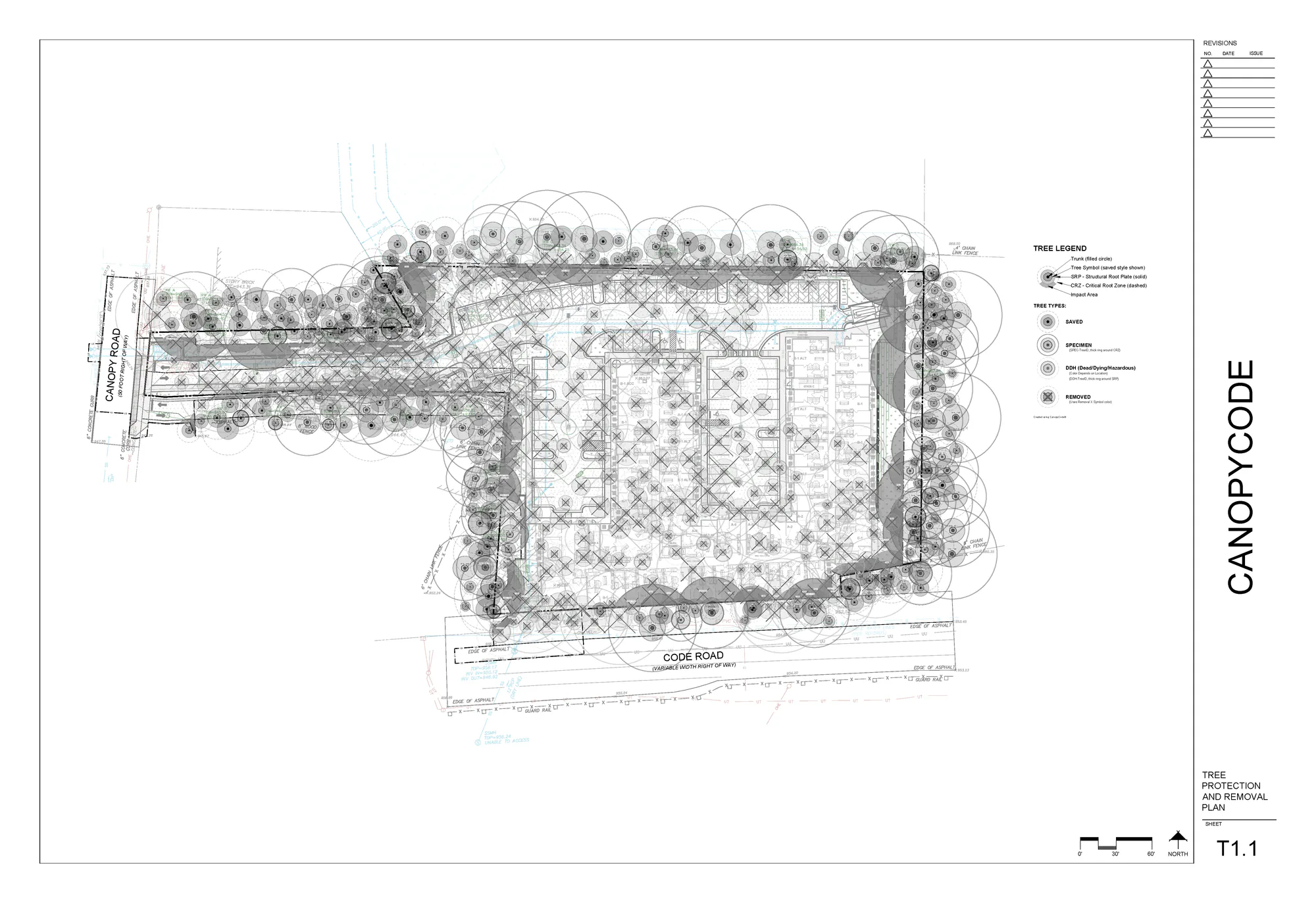
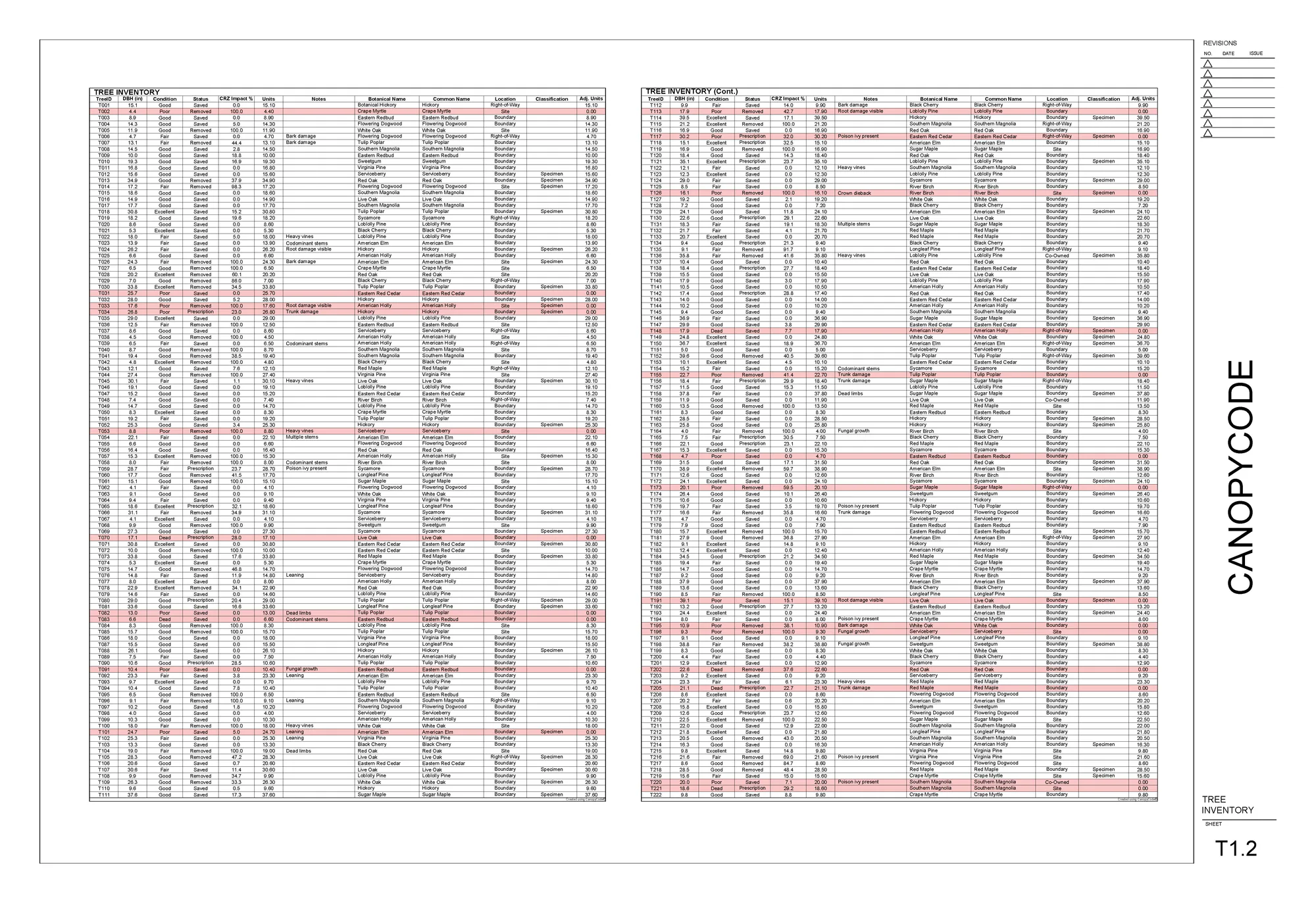
Color on screen, black and white for the printer: flipping the whole sheet is one setting in CanopyCode. The tree inventory is generated from the same drawing, so the table and the plan never disagree.
What CanopyCode automates
The repetitive drafting, done for you
Built for professionals tired of repetitive drafting: clarity, consistency, and accuracy on every tree-protection plan.

For every tree
- Import & verify tree data (species, DBH, condition, coordinates)
- Draw the trunk symbol: a correctly sized circle with a solid hatch
- Calculate & draw the Critical Root Zone (CRZ)
- Calculate & draw the Structural Root Plate (SRP)
- Place the tree label (TreeID)
- Run impact analysis: CRZ against the Limits of Disturbance
- Determine status: Saved, Removed, or Prescription Required
- Classify Specimen / Landmark trees
- Classify location: Site, Boundary, Co-owned, or Right-of-Way
- Calculate Units / Recompense for mitigation
- Route to the correct layer automatically
- Generate the table row with all tree data
At the project level
- Professional table with subtotals by area
- Publication-ready legend
- CSV export
- Instant regeneration: change anything, re-analyze, everything updates
Built-in tools
- Configuration presets: save settings per municipality
- Smart labels: data-connected, update with every change
- Find Tree: type a TreeID and jump straight to it
- Validate: catch unlabeled impact hatches in a click
- Edit tree data: species, DBH, condition, notes, in AutoCAD
- Move, add, or remove trees, and everything connected updates
CRZ (Critical Root Zone) and SRP (Structural Root Plate) rules vary by jurisdiction. CanopyCode's calculations are configurable to your local standard, so the zones match what your reviewer expects.
Professional licensing
One annual license. Unlimited projects.
Every plan includes version compatibility, free updates, and dedicated support.
CanopyCode Professional
$2,995/year
For independent professionals and design teams who want speed, accuracy, and peace of mind.
Purchase license- Runs in AutoCAD and Civil 3D, 2021-2026
- Automatic CRZ, SRP & impact-zone calculations
- Publication-ready reports and legends
- Customizable layer templates for your municipalities
- Unlimited projects and drawings
- Priority email support and free updates
- 30-day money-back guarantee
Volume / Enterprise
Let's talk
For multi-office firms and large organizations needing coordinated deployment.
Contact sales- Volume licensing for teams of 10+
- Optional pilot deployments
- Dedicated onboarding session
- Priority technical support
- Flexible invoicing and PO support
Teams under 10: individual licenses at $2,995/seat/year. Enterprise terms apply.
30-day money-back guarantee. Try CanopyCode for 30 days. If it doesn't save you time on tree protection plans, email us for a full refund. No questions asked. Read the user guide →
What people are saying
Designers and engineers already trust it
“This is genius! It has already saved me weeks of effort on my recent projects.”

“I was blown away by CanopyCode. The time savings are massive. It turns a slow, manual tree-protection process into something fast, consistent, and reliable.”

“My jaw was on the floor after watching CanopyCode complete what would normally be hours of work in just minutes.”

Fits right into AutoCAD
Works directly inside AutoCAD and Civil 3D using familiar tools and layer standards.
Accuracy you can trust
Built-in logic checks and code-based calculations keep plans compliant every time.
Saves hours, every project
Automates the time-consuming impact analysis, labeling, and reporting.
Built by professionals
Developed with landscape architects and engineers who know real project demands.
Manual drafting vs. CanopyCode
The hours you'd spend by hand, automated
Same tree-protection plan, minutes instead of an afternoon.
Want the full process, start to submittal? Read our guide: How to make a tree protection plan →
Ready to save hours on your next project?
Start with CanopyCode and see what effortless automation feels like.